Go back
  September 7 2026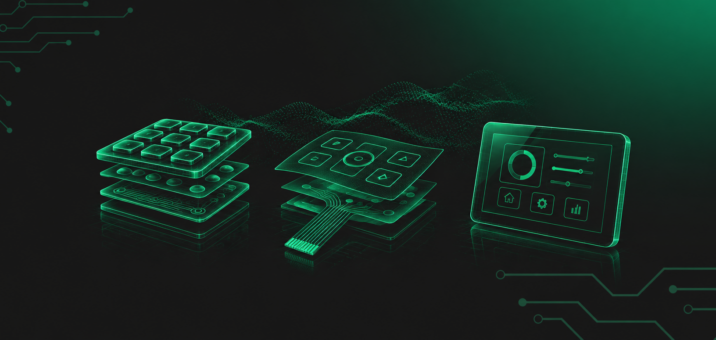
August 2017, the Singapore Strait. The destroyer USS John S. McCain collides with the chemical tanker Alnic MC; ten sailors are killed. The US Navy report identifies multiple contributing factors, one of them being the control interface: mechanical throttle and steering controls had been replaced with a touchscreen-based system. In a fraction of a second, the operator lost his orientation within the virtual control layout. The screen did not respond quickly enough.
Two years later, the fleet restored physical controls on destroyer bridges. The decision followed consultations with crews. Sailors clearly indicated that knobs and levers provided a level of certainty that a flat sheet of glass could not.
This is an extreme case, but the mechanism behind it is universal, because every HMI (Human-Machine Interface, the operator’s communication interface with a machine) involves a calculation of risk, operating conditions and the consequences of error. A designer choosing a membrane keypad or touchscreen at the project stage is answering a question of exactly the same kind.
1. How Does a Touchscreen Work in Industrial Applications?
An industrial touchscreen is a complex system consisting, among other things, of a display, touch sensor, controller, front glass and HMI software. Everything is designed for two-way communication between the operator and the machine. Three technologies dominate industrial applications:
- Resistive touchscreens respond to pressure. They can be operated with any object and with any type of gloves. They are inexpensive, but susceptible to scratches and mechanical wear.
- PCAP (Projected Capacitive) touchscreens detect a finger through changes in the electrostatic field at the surface. They offer multi-touch, gesture control and a premium appearance. However, they require contact with bare skin or specially designed conductive gloves.
- Infrared touchscreens create a grid of light beams and respond when those beams are interrupted by any object. They work with gloves, but can be sensitive to contamination of the optical components.
In a product specification, each of these technologies looks robust. On a production floor equipped with variable-frequency drives and welding machines, however, reality provides the final test: capacitive screens can pick up electromagnetic interference and interpret it as operator input. Water droplets on a PCAP surface can trigger unintended functions. Negative temperatures can slow LCD displays to the point where the image can no longer keep pace with human decisions.
A touchscreen provides interface flexibility: one device can offer an unlimited number of menus and operating scenarios, updated remotely. The price is greater integration complexity, including software, EMC (electromagnetic compatibility) testing, calibration, licensing and sensitivity to conditions that are often relegated to the fine print of component specifications.
2. How Does a Membrane/Foil Keypad Work?
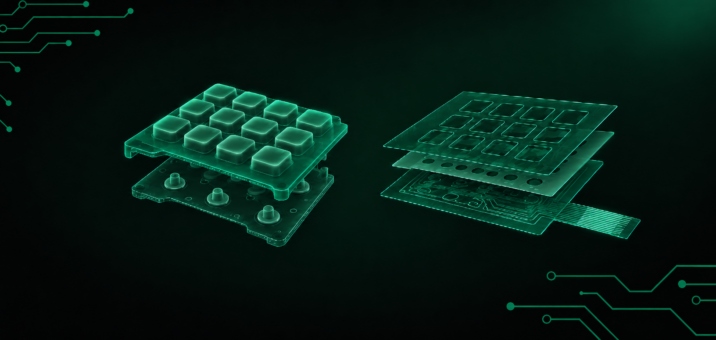
A membrane keypad closes an electrical circuit in response to deliberate pressure — nothing more and nothing less. Its construction is a multilayer “sandwich” of thin polyester (PET) or polycarbonate (PC) films. Inside are conductive traces printed with silver- or carbon-based inks, separated by a spacer layer: an insulating layer with openings at the button locations. Pressing the key with a finger deflects the upper film, bringing it into contact with the lower layer and closing the circuit. The device interprets the signal as a button press.
The feedback — what the operator feels under the finger — depends on the construction. In tactile keypads, stainless-steel metal domes are placed beneath the graphic overlay. Pressure causes the dome to snap through its deformation point, creating the so-called snap effect: a distinct “click” that confirms activation. In non-tactile keypads, activation occurs through smooth deflection of the film, almost silently, with confirmation provided by an LED or an audible signal.
The graphics on the keypad are printed on the inner side of the film. Labels and symbols are visible through the thickness of the film but cannot be rubbed off, even after years of operation in an aggressive chemical environment. In more advanced designs, LEDs, EMI shielding layers or LGF (Light Guide Film) backlighting systems can be integrated into the film structure. LGF is a thin optical film that distributes light from several SMD LEDs across the entire keypad surface while maintaining a flat construction.
3. Resistance to Industrial Conditions – Dust, Moisture and Vibration
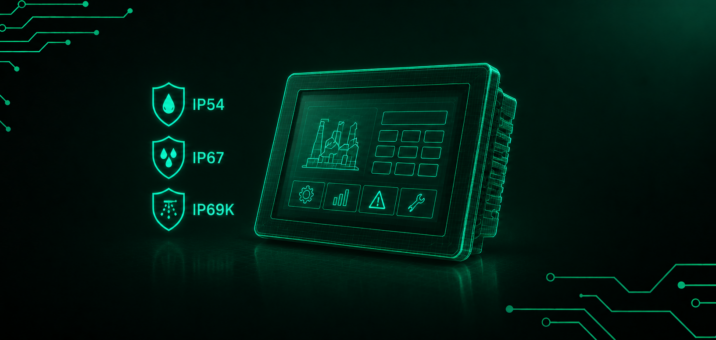
Both technologies can achieve high protection ratings: IP67, IP68 and even IP69K, which provides resistance to cleaning with hot water under high pressure. But the number on the datasheet does not tell you how the interface will behave after a year on the production floor. What matters is its behaviour under continuous load.
A membrane keypad is naturally well sealed: all layers are joined through a lamination process, creating a continuous surface without gaps. This makes it resistant to dust and contamination. Touchscreens integrated into HMI panels can also achieve a high level of front-side sealing, but their construction requires more complex sealing engineering. More critical points mean more places where dust can potentially find a way in.
Moisture and water reveal a fundamental difference. Capacitive touchscreens (PCAP) can interpret water droplets as operator input. The result can be so-called ghost touches — unintended activation of functions that nobody has called up.
A membrane keypad requires physical pressure on the metal dome to activate. Water on the surface will not trigger anything. In the food industry, where an IP69K rating means daily cleaning with hot water at pressures of 80–100 bar, the simpler geometry of membrane sealing is one reason why membrane keypads are often preferred.
When considering chemical resistance, it is worth noting that polyester films (PET) used in membrane keypads can withstand contact with detergents, lubricants, hydrochloric acid, isopropyl alcohol and even blood. Glass fronts of touchscreens are chemically resistant at the surface, but their seals and mounting edges may not be.
Foil keypads, with no heavy moving components, withstand continuous vibration from motors and presses well, as well as impacts and shocks. A flat membrane bonded to a rigid substrate can withstand impacts from hard objects, although it is susceptible to cuts from sharp tools. HMI panels with touchscreens are designed in accordance with the IEC 60068-2-6 vibration standard and protected with reinforced multilayer glass.
A membrane keypad can operate from -40°C to +85°C. LCD displays used in touchscreens may require heaters at sub-zero temperatures simply to start up.
Electromagnetic interference (EMI) is another factor worth considering. PCAP screens can respond to electromagnetic fields generated by variable-frequency drives and welding machines, with the controller interpreting them as touch input. A membrane keypad is passive: it neither emits nor receives electromagnetic signals. It can also incorporate integrated shielding layers that act as a Faraday cage, protecting sensitive electronics from interference in the surrounding environment.
4. Operation with Gloves and in Difficult Lighting Conditions
Thick work gloves and harsh sunlight above the production floor are everyday realities in many industrial applications. A membrane keypad responds to mechanical pressure, so the type of glove — latex, nitrile, leather or rubber — does not matter.
A standard capacitive touchscreen (PCAP) is calibrated for a bare finger. Thick gloves, 2–4 mm in thickness, can reduce the capacitive signal to a level that the controller cannot reliably detect. Manufacturers offer a “glove mode”, but activating it can also increase susceptibility to false activations caused by moisture. Solving one problem creates another.
Blind operation is another important dimension of the difference. Embossing — raised button shapes — combined with metal domes allows the operator to feel the edge of a button and confirm activation without looking at the panel. This is physically impossible on a flat touchscreen surface. Therefore, whenever the operator must observe the process while simultaneously operating the interface, a membrane keypad provides an advantage that no software can compensate for.
Touchscreens exposed to full sunlight can lose readability unless optical bonding is used — a process in which the display and touch panel are permanently bonded with a transparent adhesive. This eliminates the air gap and reduces reflections. Without it, contrast can fall below a usable level.
In darkness, membrane keypads can use LGF or electroluminescent (EL) lamps to illuminate the entire surface while consuming very little power. The choice of print contrast on foil fronts — colours, resolution and line thickness — determines whether labels remain legible in low-light conditions.
5. Cost, Implementation Time and Serviceability – What Is the Designer Really Paying For?
The simple rule “membrane is cheaper, touchscreen is more expensive” is an oversimplification that can cost more than either technology itself.
For small and medium production runs, membrane keypads can win both in unit cost and implementation time. A membrane keypad prototype can be ready in 3–4 days, while the lead time for a repeat order can be less than 20 working days. The break-even point for PCAP technology is typically reached only after 20,000–25,000 units have been produced, because until then, per-unit savings can be offset by NRE (Non-Recurring Engineering) costs, EMC certification, the controller and firmware tuning.
But “cheaper” does not mean “better” for every project. If a device requires dozens of menu screens, real-time process visualisation and remote updates, a physical keypad can become more expensive than a touchscreen because it would need dozens of buttons, hundreds of graphic variants and a significantly larger panel area.
Serviceability is another calculation that is easy to overlook during design but difficult to ignore after two years of operation. A damaged foil front on a membrane keypad can be replaced quickly and inexpensively: essentially, it is a sticker with electronics. Repairing a damaged industrial touchscreen, by contrast, can be costly.
The touchscreen does, however, provide something a membrane keypad cannot: remote diagnostics. A service engineer can use VNC (remote access to the device desktop) to diagnose a problem and change the control configuration from anywhere in the world within minutes.
Mechanical durability is another factor. A membrane keypad with metal domes can withstand between 1 and 10 million actuation cycles, depending on its design and materials. Capacitive touchscreens have no moving parts, so theoretically the touch surface is not subject to mechanical fatigue. In practice, service life depends on the durability of the controller, internal electronics and the flexible cables connecting the panel to the rest of the system.
6. Industry Recommendations – When Should You Choose Which?
In heavy industry, where CNC machines, presses and automated production lines are operated every day, membrane keypads or resistive touchscreens are often suitable. Dust, lubricants, work gloves and vibration eliminate standard capacitive screens from many applications. For safety-critical functions — such as throttle control or emergency shutdown — a physical button provides a level of certainty that a virtual element on a touchscreen cannot guarantee.
In medicine and pharmaceuticals, the choice depends on the function of the device. PCAP works well in patient monitors because of its ease of cleaning and ability to visualise data. In defibrillators, MRI systems and diagnostic equipment, however, a membrane keypad may be a better solution because EMI shielding is easier to integrate into a foil construction, while a physical button is less likely to fail in an emergency because of wet hands or interference from surrounding equipment.
In the food industry, meat processing and dairy plants, a membrane keypad meeting the IP69K standard can be the better choice. Its construction is designed without gaps and provides resistance to grease and organic acids. A smooth foil surface also limits the places where contamination can accumulate.
For information kiosks, a capacitive touchscreen with tempered glass is usually the better solution. Intuitive navigation for untrained users, aesthetics and complex multi-level menus all favour touchscreens. In areas exposed to vandalism, thick multilayer glass can protect a PCAP panel, whereas a delicate resistive film may not survive such an environment.
For field devices and measurement stations, a polycarbonate membrane keypad operating from -40°C to +70°C, resistant to UV radiation and, above all, immune to activation by rain can be an excellent choice.
A separate category consists of hybrid solutions, combining a touchscreen for navigation and visualisation with physical membrane buttons for critical functions. More and more projects are moving in this direction because neither technology alone covers the entire range of requirements of a modern HMI panel.
The design principle is simple: the more limited the set of functions and the greater the consequences of an error, the stronger the argument for a physical button.
7. How Do We Approach This at Qwerty?
At Qwerty, we treat interface selection as part of the system rather than as a line item in a price list. Every project starts with an analysis of the conditions in which the device will operate and with questions that component catalogues do not ask:
- operating environment: temperature, humidity, chemical exposure and electromagnetic interference;
- operator profile: gloves, training level and frequency of operation;
- safety requirements: which functions are critical and require reliable activation;
- economic calculation: not “how much does one unit cost?”, but how much does the device cost over its entire life cycle in production, servicing and warranty claims;
- target technology: membrane, PCAP, hybrid, optical bonding, EMI/ESD shielding — selected based on the analysis rather than market trends.
We design actuation force and dome type around the specific gloves operators will use. We test durability and chemical resistance in our own testing laboratory. We perform optical bonding of displays for outdoor applications. We design EMI shielding in-house because in medical and heavy-industry applications, the precision of this layer can determine whether the device is approved for use.
A catalogue shows what the manufacturer has available. A project shows what the application requires. The space between those two is where we work.
8. The Interface as a Design Decision
The USS John S. McCain keeps returning in discussions about HMI interfaces, not as a warning against touchscreens, but as a reminder that technology is indifferent to the context in which it is deployed. The screens on the destroyer’s bridge worked exactly as they had been designed to work. They had been designed without a sufficient understanding of the conditions in which they were supposed to operate.
On a production floor, in a diagnostic laboratory or on a handheld field device, the stakes are different from those on a warship’s bridge, but the logic remains the same: an interface designed around the environment, risk and process will serve reliably for years. An interface selected from a catalogue may eventually return as a warranty claim.
At Qwerty, we prefer to answer that question at the design desk before it reaches the service desk.