Go back
  September 7 2026
The packaging hall of a dairy plant, the fifth hour of the shift. An operator wearing nitrile gloves stands in front of the control panel for the bottling line. Steam from the pasteurization process settles on the screen as a thin layer of condensation. The operator touches the “batch approval” field. Nothing happens. He tries again. This time, the panel responds, but in the wrong place, triggering a function nobody intended to activate. The line stops. There has been no equipment failure, because the electronics have operated according to specification. The problem arose much earlier, at the design stage, when someone selected the interface technology based on a catalogue rather than the actual operating conditions.
At first glance, choosing between a capacitive and a resistive button seems straightforward. Two technologies, two ways of detecting touch, two sets of trade-offs. The quality of that decision, however, is not tested in a laboratory. It is tested on the production floor, in steam, through gloves, at minus twenty degrees. That is where the differences stop being academic.
Electrostatic Field as a Sensor – How a Capacitive Button Works
A capacitive button responds to the mere presence of a finger. Its operation is based on a simple phenomenon: the human body conducts electricity, and the sensor takes advantage of this. Beneath the button surface is a conductive layer, most commonly made of indium tin oxide (ITO), a transparent material also used in smartphone displays. Together with a reference field, this layer forms a capacitor, an electronic component capable of storing electrical charge. At rest, the system has a defined capacitance. When a finger approaches the surface, it introduces additional capacitance into the system. A precise controller measures how long it takes the capacitor to charge to a threshold. The difference between the idle state and the touched state — the so-called delta — is sufficient to detect activation.
In practice, there are two main variants of this technology:
- Self-capacitance uses a single electrode and responds to the general proximity of a finger to the surface.
- Mutual capacitance uses two electrodes — transmitting and receiving — which makes it possible to locate the touch point precisely and support multi-touch gestures such as zooming or rotation.
Fast. Intuitive. Effortless. Until the operating conditions raise questions that an electrostatic field does not have a good answer for.
Pressure Instead of a Field – The Logic Behind a Resistive Button
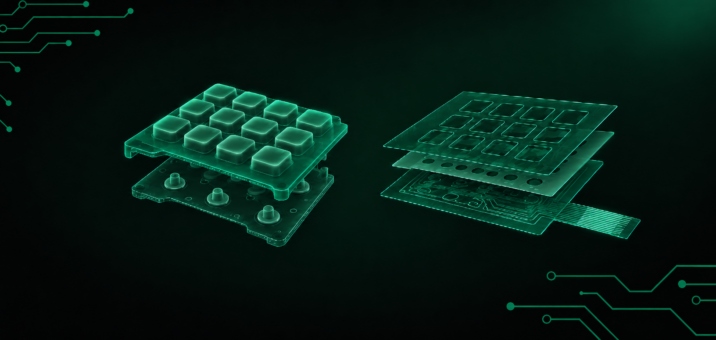
A resistive button measures the force with which it is pressed. Its construction is simpler than that of a capacitive sensor: two layers coated on the inside with a conductive material — the same ITO — are separated by a thin air gap or microscopic spacer elements known as spacer dots. When the user presses the outer, flexible film, the layers come into physical contact. The circuit closes at the point of contact, the controller measures the change in electrical resistance and uses it to calculate the coordinates of the touch point.
This allows the panel to be operated with almost anything: a finger, stylus, pen tip or fingernail. Most importantly, it can be operated while wearing virtually any type of work glove. Moisture, dust or grease on the surface do not simulate pressure and therefore do not cause false activations. This is why resistive panels have remained a standard solution for years in courier terminals, ATMs and warehouse scanners.
There is a trade-off. The flexible outer film wears under repeated contact. The panel requires periodic calibration. It transmits less light than glass used in capacitive solutions. Simpler physics, lower cost, fewer requirements for the operator. But every press leaves a mark. Literally.
Sensitivity, Precision, Durability – The Three Axes That Determine the Choice
Choosing a touch technology is ultimately a decision about the conditions in which the panel must operate and how long it must maintain full functionality. The comparison is best made along three axes, as these most clearly distinguish one solution from the other:
1. Sensitivity
A capacitive sensor detects even a very light touch because all it needs is a change in the electrostatic field. A resistive sensor requires measurable pressure that physically brings two conductive layers into contact.
There is also an intermediate solution: MoCT, or Metal over Cap. In this technology, the metal front layer flexes under the finger and changes its distance from the capacitive electrode. The sensor remains capacitive, but activation requires mechanical pressure. What is more, MoCT can distinguish different levels of applied force, setting it apart from standard capacitive solutions.
2. Precision
With a stylus, a resistive panel can achieve accuracy on the order of a single pixel, which explains its use in handwriting-recognition systems and engineering work involving high magnification. A capacitive panel compensates for lower point precision with multi-touch functionality: it can register multiple touch points simultaneously, enabling zooming, rotation and gesture-based navigation.
On the other hand, a resistive panel requires periodic coordinate calibration, while a capacitive panel is more stable in this respect.
3. Durability
This is where the differences become most pronounced:
- Scratches – in a capacitive solution, the surface is protected by tempered glass; a resistive panel has a top film that is more susceptible to scratches and dents.
- Water and moisture – a capacitive panel may interpret droplets as touches, generating false activations; a resistive panel is resistant to this type of interference.
- Electromagnetic interference (EMI) – capacitive technology can be sensitive to strong electromagnetic fields, for example near welding equipment or transformers; resistive technology generally performs better in such environments.
- Temperature – resistive technology operates over a wider range (typically from -20°C to +70°C); standard capacitive solutions may lose effectiveness under extreme conditions.
- Mechanical damage – after the glass is cracked, a PCAP (projected capacitive) panel may in many cases continue to operate; a resistive panel loses functionality if its film is damaged.
None of these axes identifies a universal winner. Each, however, provides a clear answer when the designer understands the environment in which the interface will operate.
Gloves, Water, Grease – Conditions That Put the Specification to the Test
In a catalogue, both panels look professional. On a production floor, however, it quickly becomes apparent which one was designed with the operator in mind.
Gloves are the first test. A standard capacitive panel requires contact with bare skin or special gloves with conductive fibres at the fingertips, typically silver or copper. Thick protective gloves, nitrile gloves, insulated gloves — each of them can be effectively invisible to a standard capacitive sensor. A resistive panel has no such limitation because it responds to pressure regardless of what the operator is wearing or what they use to press it.
MoCT technology solves the problem differently. Its metal front layer flexes under a gloved finger, changing the capacitance of the system without requiring a conductive human body. The result is the same as with bare-finger operation.
Water and moisture are the second test, and often the more demanding one. Droplets on a capacitive panel have a high dielectric permittivity. Put simply: water conducts electricity, so the screen may “see” it as if someone were touching it. The consequences can include false activations, coordinate drift — a shift in the detected touch point — and failure to respond to the operator’s actual touch.
A resistive panel does not respond to water because water does not apply localized pressure. In tests of MoCT buttons, the signal under water exposure remained at noise level, meaning that the panel did not register any false activity.
If the operator wears gloves and condensation appears on the panel, the technology decision has, in practical terms, already been made. The real question is whether the designer took that fact into account at the project stage.
The Application Determines the Technology, Not the Other Way Around
Capacitive technology dominates wherever response speed, aesthetics and gesture-based operation matter. Smartphones, tablets, smartwatches, HMI (human-machine interface) operator panels in industrial automation, automotive infotainment systems and smart thermostats all benefit from smooth, easy-to-disinfect glass surfaces. The same characteristics make capacitive interfaces suitable for medical and laboratory equipment.
Resistive technology works wherever the panel must withstand contact with gloves, dirt, grease and water: factories, warehouses, courier terminals, ATMs, logistics scanners, control panels on ships and military equipment used in field conditions. Stylus precision, reaching approximately one pixel, also keeps resistive technology relevant in engineering applications and handwriting-recognition systems.
Hybrid solutions such as MoCT open up a third path. These include vandal-resistant interfaces for public spaces, medical devices requiring hermetically sealed enclosures and zero tolerance for false detection, as well as panels designed for visually impaired users, where the ability to touch the surface before activation — without the risk of an accidental signal — becomes an accessibility requirement.
How Do We Approach Technology Selection at Qwerty?
At Qwerty, we treat interface technology selection as part of the design process rather than as a separate step in procurement. Before recommending whether a button should be capacitive, resistive or based on another solution, we analyse the context in which the keypad will operate:
- operating environment — temperature, humidity, exposure to chemicals and the level of dust;
- operator profile — whether the operator works with gloves, at what speed and with what level of precision;
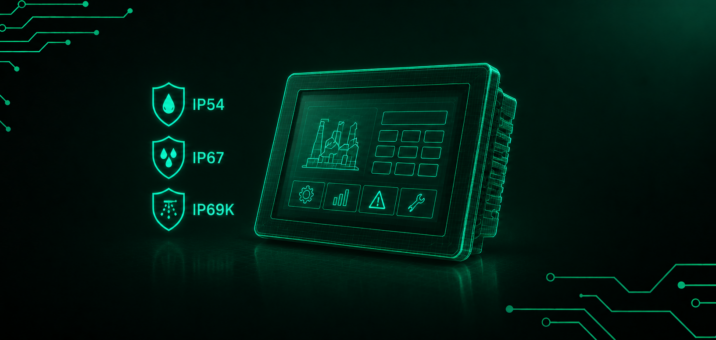
- regulatory requirements — such as IP protection rating, HACCP hygiene standards or AQAP military requirements;
- expected product life cycle — the number of activations per day, operating lifetime and required level of servicing;
- system integration — how the panel communicates with the rest of the HMI system and its compatibility with controllers.
Most enquiries we receive start with the question: “Capacitive or resistive?” From our perspective, the answer starts with a different question: Under what conditions will the interface operate, and what does the process require? Everything else follows from that analysis.
An Interface That Works Where It Has To
The packaging hall. Condensation on the panel. An operator wearing nitrile gloves. The scenario described at the beginning of this article is repeated every day in hundreds of plants — not because good technologies are lacking, but because the interface decision is made on overly general assumptions or too late in the process to change anything.
Capacitive and resistive buttons both work correctly. Each in its own context. Designing an industrial interface starts with understanding that context — and understanding what happens when operating conditions change. That is why, at Qwerty, every project starts with the production floor, not the catalogue.